One script running in CLO + one simple app running alongside.
Launch simple script on CLO
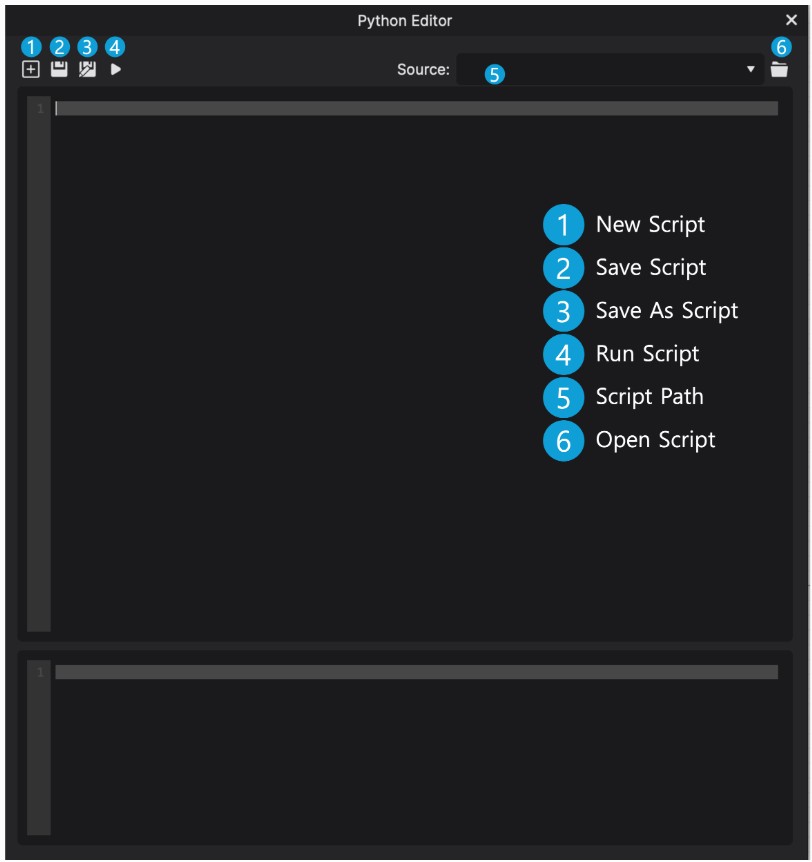
Script runs in CLO3D. Initiate communications with the companion App
Select colors on the companion APP
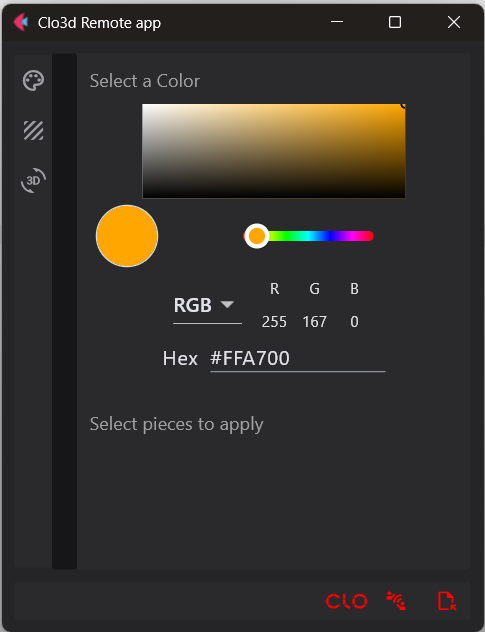
Use app's simple controls - select colors & textures. Click the render button to launch rendering in CLO
Marketing ready renders
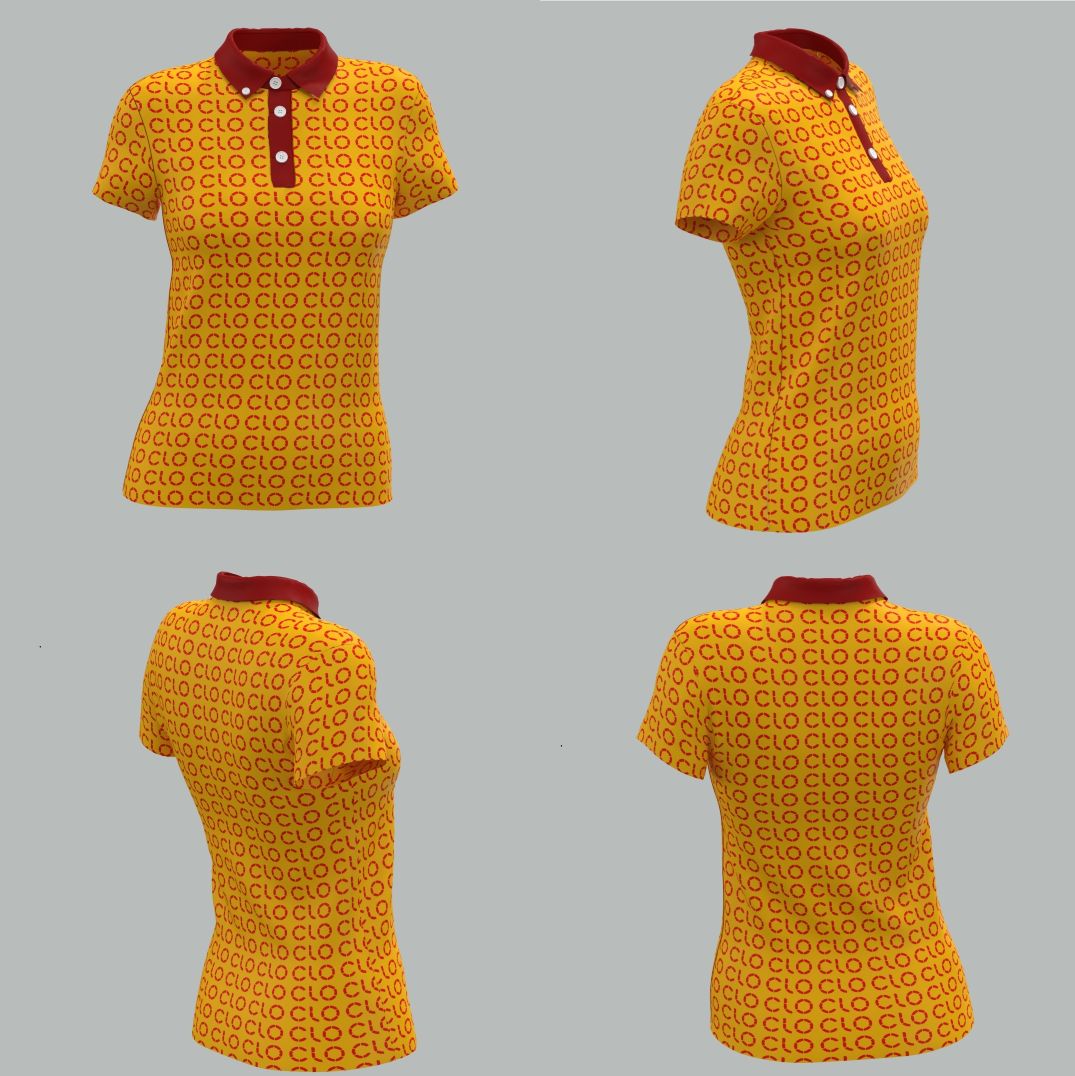
Using CLO's render engine, without clicking, get images ready to use on marketing or sales
After...
5 minutes - Renders ready for selling
Accurate colors, logos, and textures applied cleanly.
No more window switching or repetitive clicking.
Time freed - focus on selling instead of rendering.
Contact
Feel free to message - Monday - Friday, 9 am to 4 pm EST (New York Time).